RestoHub

Warming up the kitchen...

RestoHub
  1. Home
  2. /Restaurant Inventory Management

Stock before stockouts

Restaurant Inventory Management Software

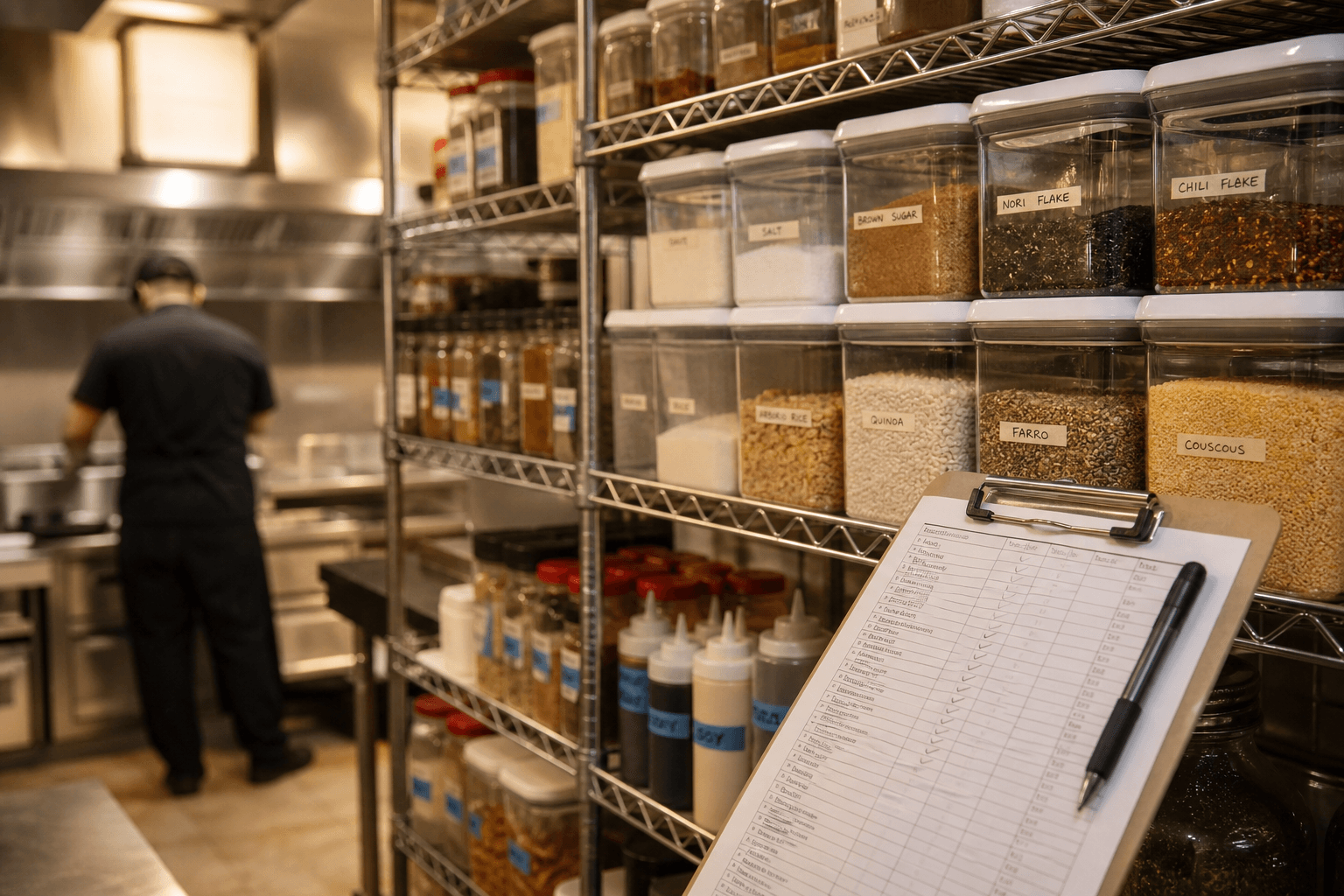
Track ingredients per outlet with units, quantities, and reorder levels. Low-stock alerts reach managers so service is not surprised mid-rush.

What operators need to know

Inventory is where margin hides. Restaurants that only count stock monthly discover food cost problems weeks too late. Per-outlet ingredient tracking with reorder levels turns stock into a daily operational signal, not a quarterly panic.

RestoHub inventory lives inside the same hub as menus and kitchen — managers maintain ingredients, units, quantities, and thresholds per outlet. When stock hits reorder level, notifications reach the roles that can act.

This is stock control for operators, not automatic recipe costing unless you build that discipline into your process. The immediate win is fewer mid-service stockouts and clearer accountability per location.

Multi-outlet brands especially need outlet-scoped quantities: the same SKU can run low downtown while the suburb branch over-orders if stock is merged incorrectly.

Practical insights for your team

How this capability shows up during real service — not generic software marketing.

Ingredients, units, and outlet scope

Define ingredients once with consistent units — kilograms, liters, pieces — then maintain quantity and reorder level per outlet. That mirrors how purchasing actually works when each location has its own walk-in.

Central catalog with local quantities beats duplicate spreadsheets that diverge after one busy weekend.

  • ✓Ingredient master list shared across org
  • ✓Per-outlet quantity and reorder level
  • ✓Low-stock notifications to managers
  • ✓Tied to daily ops hub, not isolated ERP

From reactive to proactive ordering

Reactive ordering means calling the supplier when a cook shouts that paneer is gone. Proactive ordering means the manager saw the alert at 10am and adjusted prep or placed an order.

Set reorder levels from recent usage — start conservative and tune after two weeks of alerts.

  • ✓Morning review of notification center
  • ✓Adjust prep lists when key proteins are low
  • ✓Avoid 86ing menu items guests already scanned on QR
  • ✓Compare outlets if one site burns stock faster

Inventory without full recipe automation

Full recipe depletion automation requires disciplined recipe data and consistent portioning. Many small operators win first with accurate on-hand counts and alerts, then layer recipe math when ready.

RestoHub gives you the operational ledger — what you have and when to reorder — so kitchen and management share the same numbers.

  • ✓Manual adjustments after delivery or count
  • ✓Reorder thresholds as policy, not guesswork
  • ✓Pair with checklists for receiving and prep
  • ✓Use blog guides for food cost percentage math

Common stock mistakes in restaurants

Counting only high-value proteins and ignoring garnishes. Using one reorder level for all outlets. Never updating after a large catering pull. Hiding waste instead of logging it.

Fixing these does not require enterprise software — it requires consistent updates and alerts that managers actually read.

  • ✓Same-day delivery not reflected in system
  • ✓Transfer between outlets not documented
  • ✓Menu items live when key ingredient is zero
  • ✓Staff free-pouring high-cost spirits unmeasured

Problems restaurants face

  • –Stock lives in Excel nobody updates after lunch.
  • –Each outlet guesses what the other branch used.
  • –You discover zero paneer when the order is already in.

Who it is for

  • Managers
  • Owners
  • Kitchen leads watching key ingredients

Real scenarios

Neighborhood grill

ScenarioProteins ordered three times weekly.

With RestoHubReorder alerts on chicken and beef; manager orders before Friday rush.

Two-outlet pizza brand

ScenarioShared supplier, different consumption.

With RestoHubIndependent quantities per outlet; owner compares burn rate weekly.

Bakery cafe

ScenarioFlour, butter, and seasonal fruit volatility.

With RestoHubUnit-based tracking; low flour alert before morning bake.

Bar with food program

ScenarioHigh-value liquor and perishable garnishes.

With RestoHubSeparate ingredient rows; align 86 on menu with stock view.

How RestoHub helps

Ingredients + per-outlet quantities

Define ingredients once, then maintain stock and reorder levels independently for each outlet.

Low-stock alerts

Managers get notified when levels hit reorder thresholds — via the in-app notification system.

Tied to the ops hub

Inventory sits next to menus, kitchen, and finance so stock is part of daily operations, not a side spreadsheet.

Without vs with RestoHub

AreaTypical workaroundRestoHub
Stock recordExcel updated weeklyLive quantities per outlet
Stockout discoveryMid-ticket in kitchenManager alert at reorder level
Multi-outletMerged guessScoped per location
Menu alignmentGuests order unavailable itemsMark unavailable when key stock gone
AccountabilityWho ordered? unknownManager role receives alerts
Ops integrationSeparate inventory appSame login as floor and kitchen

Getting started roadmap

Phase 1 · Setup

  • →List top 30 ingredients by cost and volume
  • →Assign units and starting quantities
  • →Set reorder levels from last month usage
  • →Enable manager notifications

Phase 2 · Weekly rhythm

  • →Receive delivery and update quantities
  • →Review alerts every morning
  • →Tune reorder levels after false positives
  • →Cross-check with menu availability

Phase 3 · Monthly review

  • →Compare outlets if multi-site
  • →Remove dead SKUs from ingredient list
  • →Read food cost blog articles for margin math
  • →Pair with finance expense logging for purchases

Operator tips

  • Start with ingredients that cause stockouts, not every spice at once.
  • Update counts after delivery — same day, not next week.
  • When you 86 a dish, check which ingredient triggered it and fix reorder level.
  • Use consistent units; do not mix kg and g rows for the same item.
  • Managers should own alerts — not line cooks during rush.
  • Inventory complements kitchen board; it does not replace communication.
  • See kitchen management page for pass-side workflow.
  • Export habits: screenshot or note weekly for supplier calls until exports fit your process.

Key benefits

  • Fewer mid-service stockouts
  • Outlet-level clarity
  • Alerts for the right roles
See what is free on RestoHub →Read operator guides on the blog →

Frequently asked questions

Can each outlet have different stock?+

Yes. Quantities and reorder levels are maintained per outlet.

Does RestoHub auto-deduct recipes?+

RestoHub tracks stock levels and alerts. Use it as your operational stock control; do not assume full recipe auto-COGS unless configured in your workflow.

Does RestoHub deduct stock when I sell a dish?+

RestoHub tracks on-hand levels and alerts. Automatic recipe depletion depends on your recipe setup and process — use manual adjustments where needed.

Can I transfer stock between outlets?+

Adjust quantities per outlet to reflect transfers; document in your operational SOP.

Who gets low-stock alerts?+

Notifications target manager roles configured in your organization.

Related capabilities

Restaurant Management SoftwareRestaurant Kitchen ManagementFree Restaurant Management Software

Manage Restaurant Inventory Free

Create your free account and set up your first outlet in minutes.

RestoHub

Free restaurant management software — live kitchen, QR menus, stock, tables, finance, and multi-outlet teams.

  • ✓ Free to start
  • ✓ Role-based access
  • ✓ INR-ready

Product

  • Restaurant management
  • Free plan
  • Kitchen board
  • QR menus
  • Inventory
  • Blog

Explore

  • Home
  • Features
  • Blog
  • About
  • Contact
  • Privacy
  • Terms
  • Sign up free

Contact

  • rounak153d@gmail.com
  • +91 98151 21578

Why RestoHub

  • ✓ Built for real kitchens
  • ✓ Live floor ↔ kitchen
  • ✓ Multi-outlet ready
  • ✓ Free for this release

© 2026 RestoHub. All rights reserved.

Developed by Panelverse