RestoHub

Warming up the kitchen...

RestoHub
  1. Home
  2. /QR Menu for Restaurants

Digital menus guests scan

QR Menu for Restaurants

Build categorized menus, mark items unavailable, and share a public mobile menu via QR — updates go live without reprinting.

What operators need to know

Guests expect to see your menu on their phone — quickly, with current prices and what is actually available tonight. Printed menus lag every price change; PDF links feel cheap and go stale.

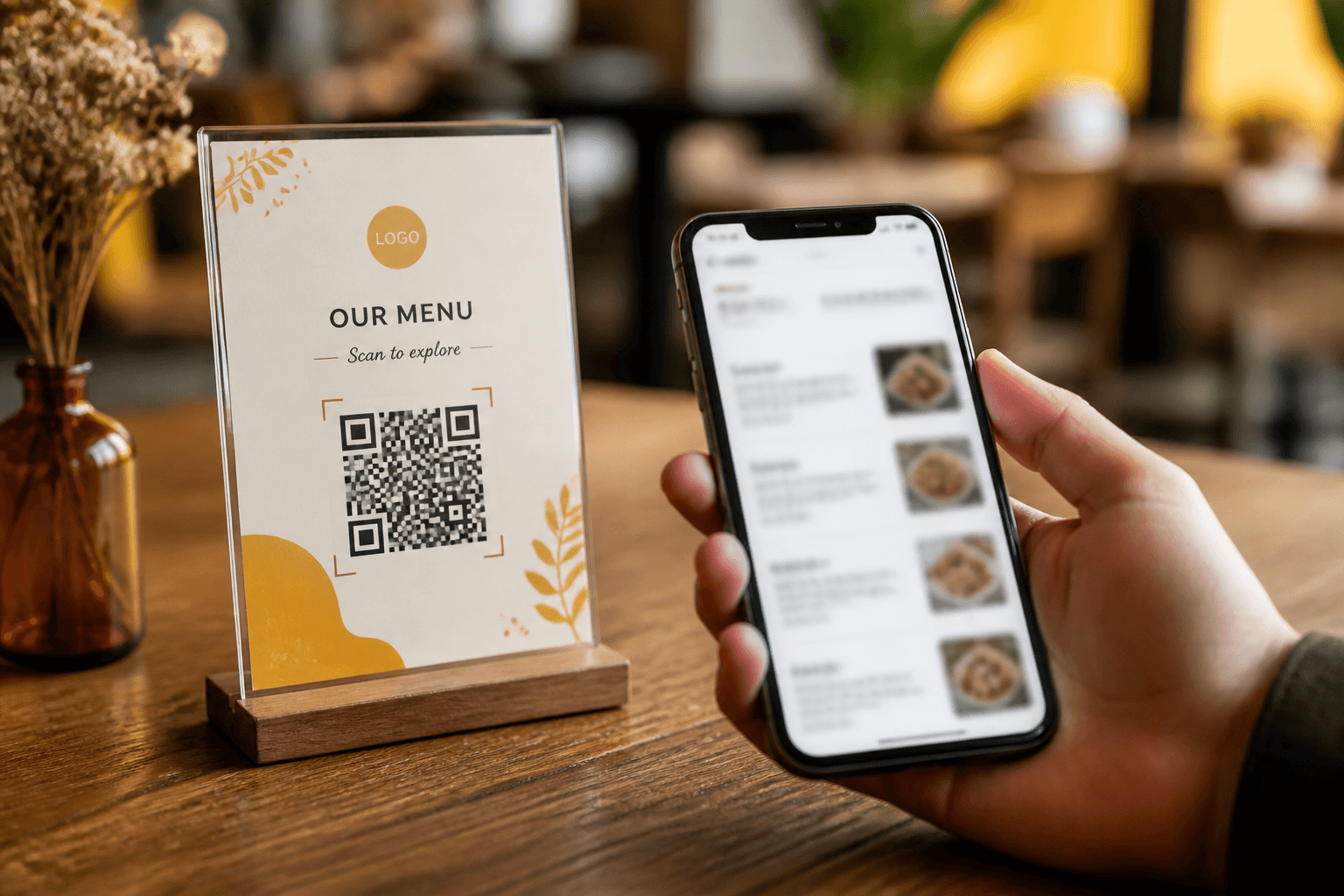
A restaurant QR menu opens a mobile-friendly public page per outlet — categories, descriptions, prices, and availability — without installing an app. RestoHub generates QR artwork from outlet settings and ties the same catalog staff use to order.

When you mark an item unavailable, guests scanning the code see the truth. That reduces frustrated orders and awkward table conversations during rush.

QR is not a replacement for hospitality — it is a always-current menu surface that frees staff to focus on service instead of reciting the full list.

Practical insights for your team

How this capability shows up during real service — not generic software marketing.

How restaurant QR menus work

Each outlet gets a public slug (for example /m/your-outlet). You place QR codes on table tents, door stickers, or packaging. Guests scan with the phone camera and land on your menu page.

No app download friction — critical for tourists and one-time visitors.

  • ✓Unique URL per outlet
  • ✓Downloadable QR artwork
  • ✓Mobile-first layout
  • ✓Same items staff see internally

Availability and 86 discipline

Nothing erodes trust faster than ordering a sold-out special still shown online. Tie unavailable toggles to service reality the moment kitchen calls it.

Seasonal items can return when prep allows — one toggle, not a reprint.

  • ✓Mark unavailable in admin
  • ✓Reflects on public menu immediately
  • ✓Staff ordering uses same flag
  • ✓Fewer apology conversations at table

QR plus operational hub

Standalone QR products leave kitchen and floor on paper. RestoHub connects guest menu to internal ops — when price changes, both guest and staff views update from one catalog.

Multi-outlet brands keep distinct public menus per location while sharing organization admin.

  • ✓Price update once
  • ✓Outlet-specific slugs
  • ✓Brand-consistent categories
  • ✓Internal linking from marketing site

Placement and guest experience tips

QR at eye level on tables beats tiny stickers on glass doors. Short URL fallback on tent for low-light scans. Staff should know how to help less tech-savvy guests in one sentence.

Photos optional but helpful; accurate descriptions matter more than food styling.

  • ✓Table tent + verbal welcome
  • ✓Good lighting on print quality
  • ✓Test scan from iPhone and Android
  • ✓Allergen notes in description text

Problems restaurants face

  • –Printed menus go stale every price change.
  • –86’d items still look available.
  • –Guests wait for a physical menu during rush.

Who it is for

  • Owners
  • Managers updating prices
  • Multi-outlet brands

Real scenarios

Casual dining reducing print costs

ScenarioReprinted menus monthly for price drift.

With RestoHubQR on tables; update prices digitally; print only brand story card.

Multi-language tourist area

ScenarioStaff cannot repeat full menu in three languages.

With RestoHubDescriptions on public page; staff focus on recommendations.

High-turn lunch counter

ScenarioQueue out the door.

With RestoHubQR on window for browse-while-wait; unavailable toggles at 1:30 when sold out.

Ghost kitchen pickup window

ScenarioMinimal front interaction.

With RestoHubQR on bag sticker links to full menu for reorder.

How RestoHub helps

Outlet-specific public menus

Each outlet gets a public menu URL (for example /m/your-slug) guests open on their phones.

QR download

Generate QR artwork for table tents and packaging from your outlet settings.

Live availability

Toggle items unavailable when you run out — guests see the current menu.

Without vs with RestoHub

AreaTypical workaroundRestoHub
Price changeReprint or sticker overlayEdit once in menu admin
Sold out itemServer apologizesUnavailable on guest phone
Multi-outletDifferent PDFs emailedPer-outlet slug + QR
Staff alignmentSeparate cheat sheetSame catalog as QR
CostPrint shop minimumsFree start with RestoHub
UpdatesWeekly PDF email blastLive page

Getting started roadmap

Phase 1 · Launch

  • →Finalize categories and item descriptions
  • →Set outlet slug and download QR
  • →Print tents at readable size
  • →Staff test scan at every table zone

Phase 2 · Daily

  • →Toggle unavailable at 86
  • →Verify specials match kitchen prep
  • →Spot-check public page during service

Phase 3 · Grow

  • →Add photos to top sellers over time
  • →Link QR page from Google Business Profile
  • →Read blog: create QR menu step-by-step

Operator tips

  • Descriptions should mention allergens plainly — guests read on phone.
  • Do not hide QR only on Instagram — physical placement drives scans.
  • After price increase, scan your own QR before guests arrive.
  • Unavailable breakfast items should toggle off after brunch, not linger.
  • Each outlet needs its own QR — do not reuse slug across sites.
  • Pair with free software page for budget-conscious launches.
  • Marketing site footer links help SEO; QR helps in-room conversion.
  • Keep PDF wine list only if legally required — otherwise digital.

Key benefits

  • No reprint tax
  • Mobile-first guest view
  • Tied to the same menu staff order from
See what is free on RestoHub →Read operator guides on the blog →

Frequently asked questions

How does a restaurant QR menu work?+

Guests scan a QR code that opens your public menu page on their phone — categories, prices, and availability without installing an app.

Can each outlet have its own menu?+

Yes. Menus are managed per outlet with their own public slug and QR.

Can I mark items unavailable?+

Yes. Unavailable items reflect on the public menu so guests are not ordering what you cannot serve.

Do guests need an app?+

No. QR opens a web menu in the phone browser.

Can I hide prices on QR?+

Public menu shows configured prices; adjust display policy in your menu setup workflow.

Is QR ordering the same as delivery apps?+

RestoHub QR is your branded menu page; in-venue ordering flow depends on your service model and staff sends.

Related capabilities

Restaurant Management SoftwareFree Restaurant Management SoftwareMulti-Outlet Restaurant Management

Start Using RestoHub Free

Create your free account and set up your first outlet in minutes.

RestoHub

Free restaurant management software — live kitchen, QR menus, stock, tables, finance, and multi-outlet teams.

  • ✓ Free to start
  • ✓ Role-based access
  • ✓ INR-ready

Product

  • Restaurant management
  • Free plan
  • Kitchen board
  • QR menus
  • Inventory
  • Blog

Explore

  • Home
  • Features
  • Blog
  • About
  • Contact
  • Privacy
  • Terms
  • Sign up free

Contact

  • rounak153d@gmail.com
  • +91 98151 21578

Why RestoHub

  • ✓ Built for real kitchens
  • ✓ Live floor ↔ kitchen
  • ✓ Multi-outlet ready
  • ✓ Free for this release

© 2026 RestoHub. All rights reserved.

Developed by Panelverse